MindStash in
action
Watch videos and explore screenshots showing real features, real interactions, and real AI intelligence.
See what makes MindStash different.
Watch MindStash work
Full walkthrough of features, AI agent capabilities, and real-world usage.
What you'll see in action
Quick Capture
Type anything in 500 characters or less — a thought, a link, a reminder, an idea. AI instantly categorizes it into one of 12 smart categories, generates tags, detects urgency, and estimates priority. Zero decisions on your part.
Inside the app
Real screenshots showing the interface, AI interactions, and key features.
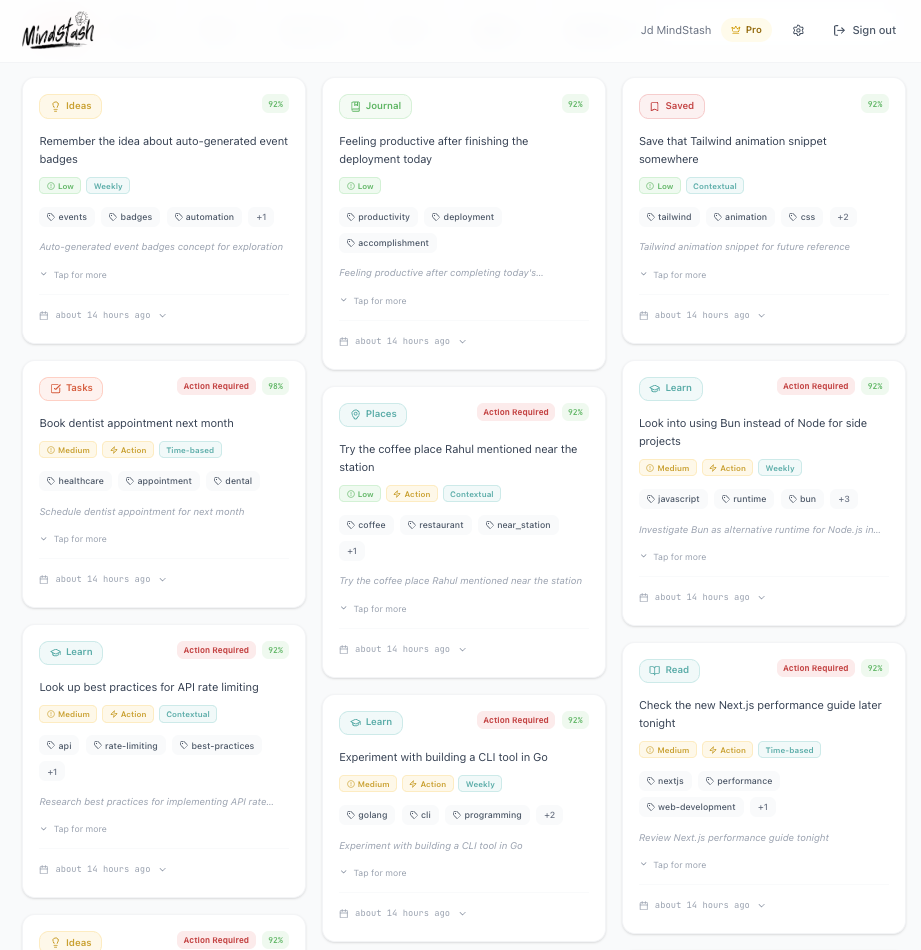
Dashboard Overview
Main interface with all your captured thoughts, organized by AI
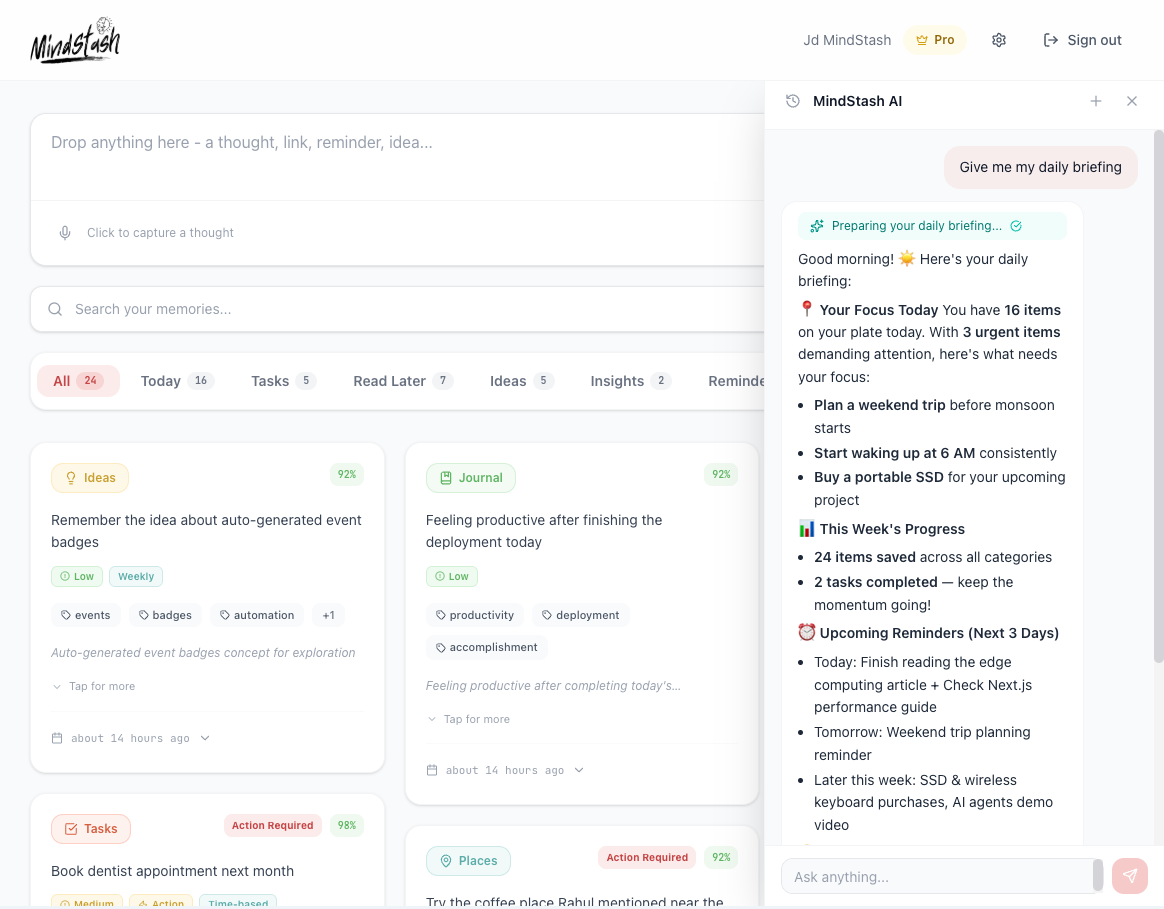
AI Chat Interface
Natural language conversations with your intelligent assistant
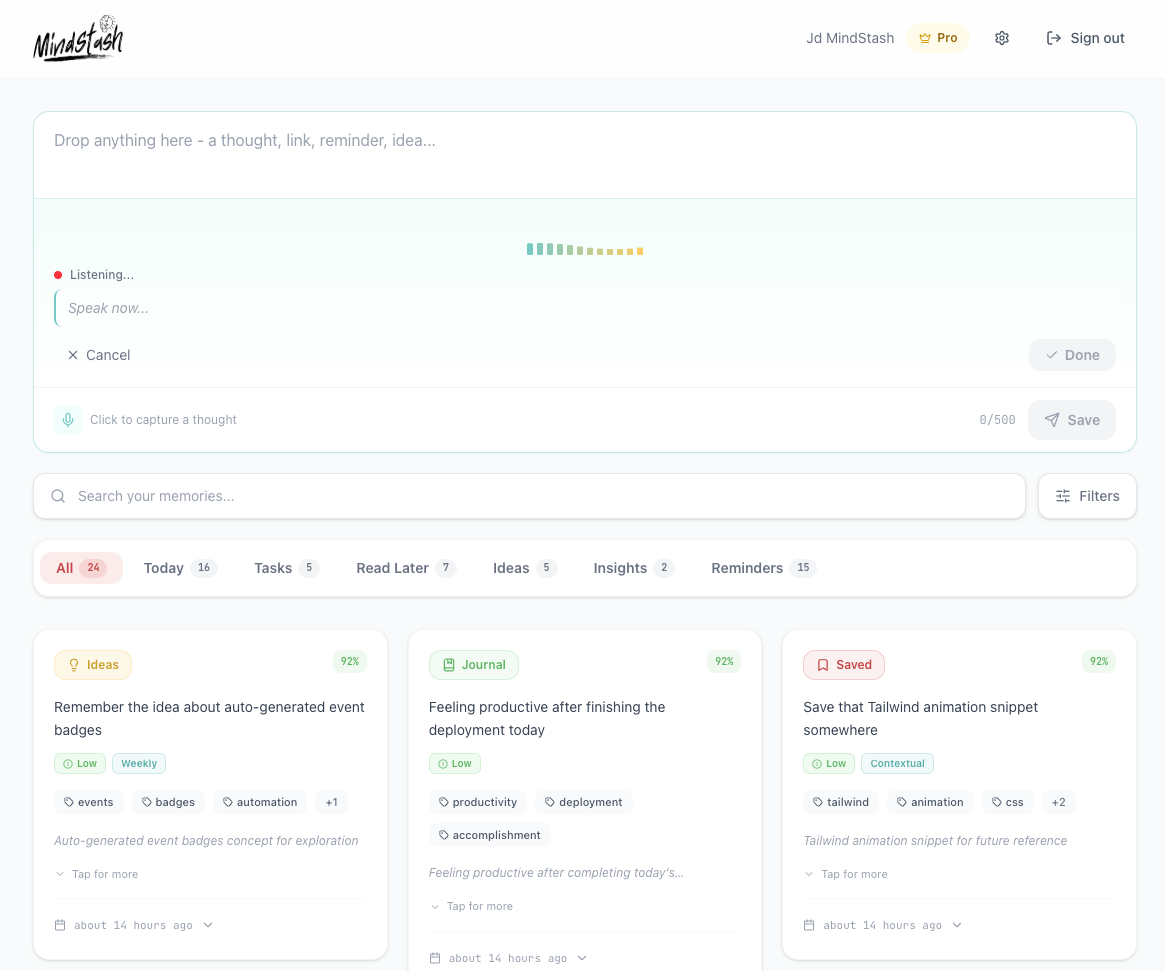
Quick Capture
500-character input with real-time AI categorization
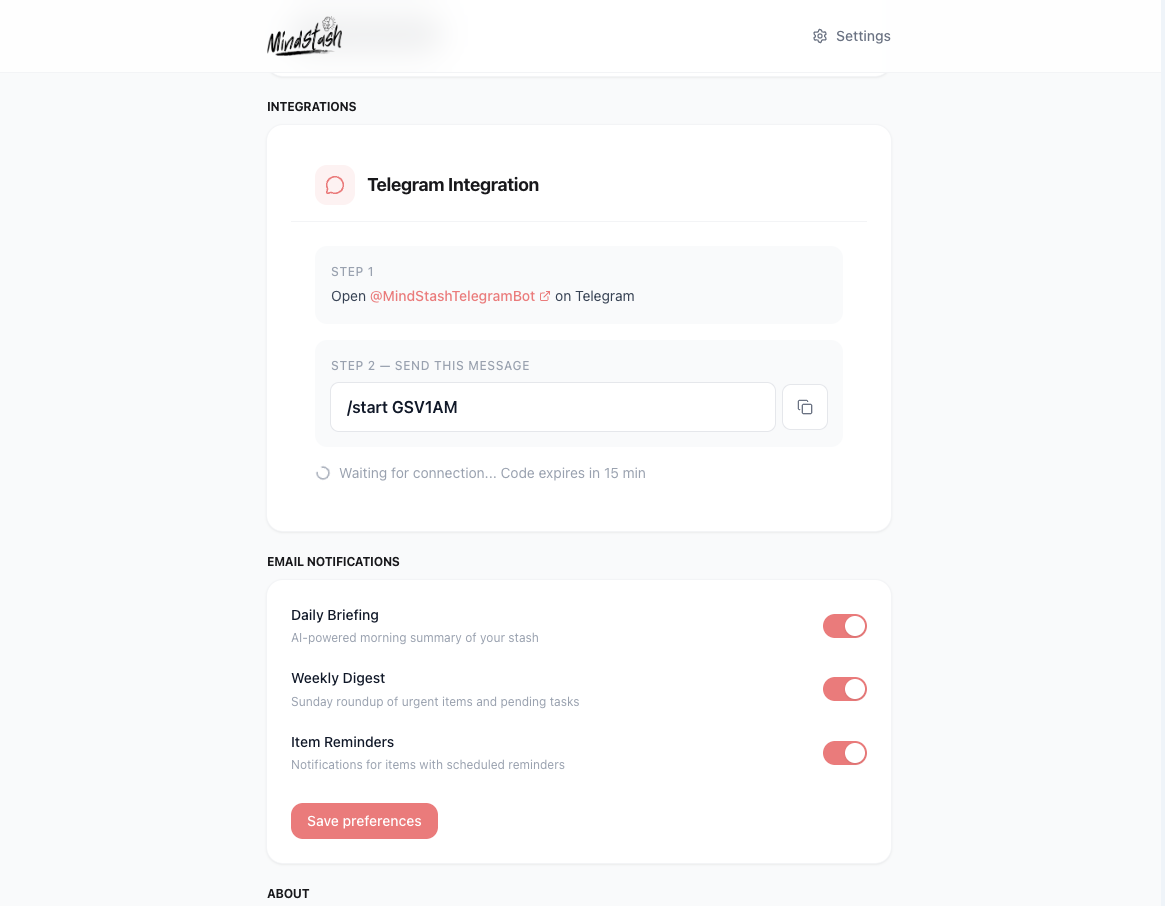
Telegram Integration
Seamless bot interaction for on-the-go capturing and chat
Ready to experience it?
Don't just watch — use it. Sign up free and start capturing your thoughts today.